SOC 2 audit checklist: how to get ready step by step
A plain SOC 2 checklist: Type 1 or Type 2, scope, controls, policies, evidence, vendors and people, and what to have ready before the audit starts.
The Hardenwell GRC team
· 7 min read · Updated
Key takeaways
- A SOC 2 report is written by an independent CPA firm, and only the auditor decides the opinion.
- Type 1 looks at how your controls are designed on one date. Type 2 tests that they worked over a period, usually three to twelve months.
- Most of the work comes before the audit: scope, policies, evidence and fixing what your checks find.
- Hardenwell GRC tracks SOC 2 readiness from proof, builds the system description and gives your auditor a portal with request lists.
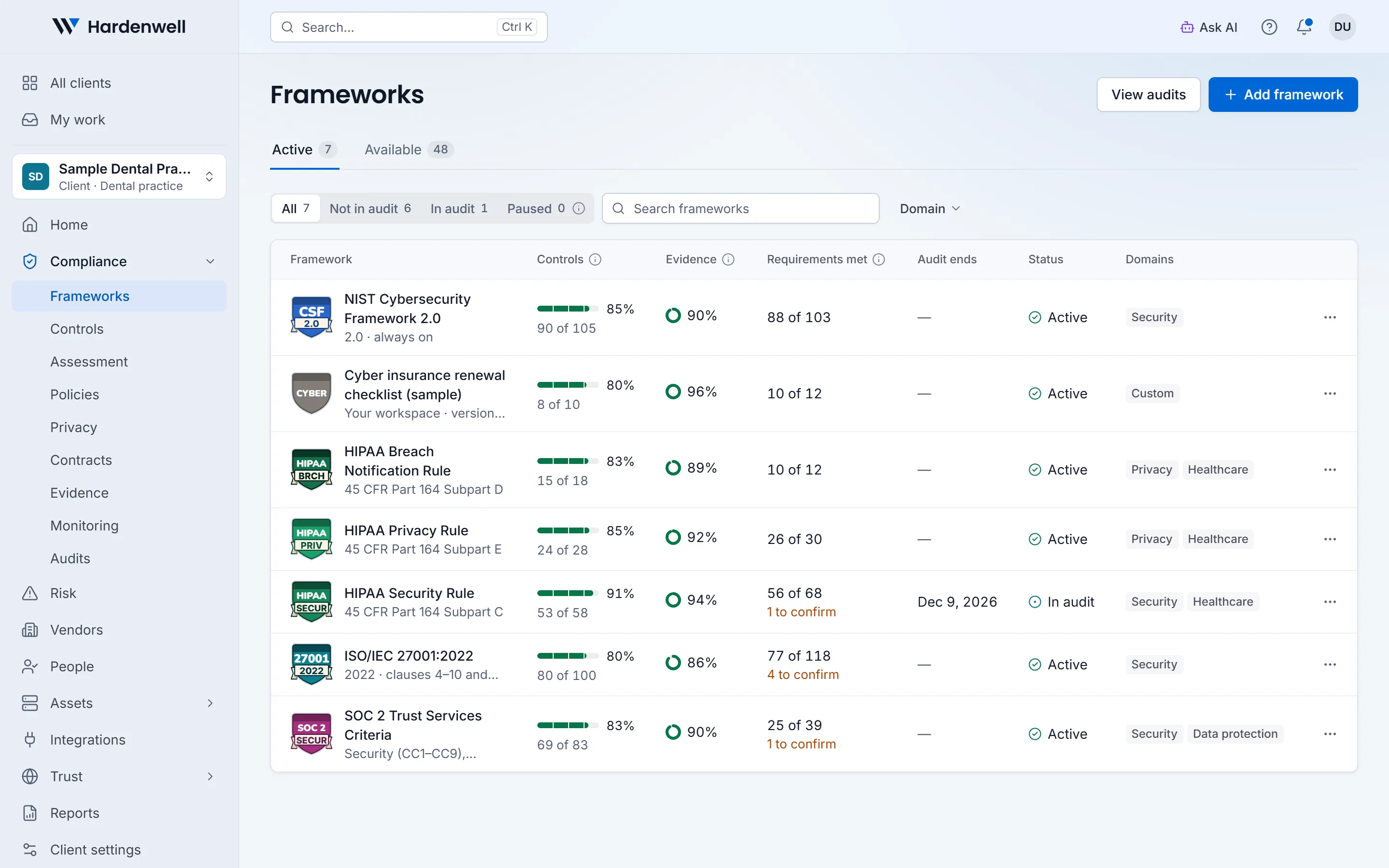
To get ready for a SOC 2 audit, pick the report type, set the scope, put controls and policies in place, collect evidence that they work, and fix what your checks find before the audit starts. An independent CPA firm then tests your controls and writes the report. This checklist walks through each step and shows where Hardenwell GRC does the work for you.
What is a SOC 2 report?
SOC 2 is a report on the controls of a company that holds or processes data for its customers. It is based on the Trust Services Criteria from the AICPA. Security is always in scope. Availability, Confidentiality, Processing Integrity and Privacy are optional.
Customers often ask for one before trusting you with their data. Only a licensed CPA firm can issue one. There is no SOC 2 certificate. You get a report with the auditor's opinion, your system description and, for Type 2, the auditor's tests and results.
Which SOC 2 report do you need?
| Type 1 | Type 2 | |
|---|---|---|
| What the auditor looks at | Whether your controls are designed well, on one date | Whether your controls are designed well and worked, over a period |
| Period | One day | Usually three to twelve months |
| Evidence | Policies, settings and records as of that date | Records that show each control ran during the whole period |
| Good for | A first report, sooner | What many larger customers ask for |
Many companies start with a Type 1, then move to a Type 2. When you set up a SOC 2 audit in Hardenwell GRC, you pick Type 1 with its date or Type 2 with its period. Evidence is then checked against that date or period, so you can see what the auditor will count.
The SOC 2 checklist at a glance
| Step | What to have ready | Hardenwell GRC |
|---|---|---|
| 1. Scope | The report type, the criteria and the system in scope | YesSOC 2 frameworks to turn on, including Privacy and Processing Integrity |
| 2. System description | Services, infrastructure, software, people, data, processes and outside providers | YesA system description builder |
| 3. Controls | A control for each criterion, with an owner | YesControls mapped to the criteria, Ready only with proof |
| 4. Policies | Approved, current policies that staff have signed | YesOver 175 templates, approval and sign-off by link |
| 5. Evidence | Proof that each control works | YesDated evidence from connected tools and uploads |
| 6. Monitoring | Checks that keep running, and fixes on time | YesMonitoring with failing items, owners and due dates |
| 7. Vendors | Reviews of the vendors that touch your data | YesVendor reviews with questionnaires and a vendor portal |
| 8. People | Training, sign-offs, joiners, leavers and access reviews | YesPeople checklists, training and access reviews |
| 9. Risks | A risk assessment with decisions | YesA risk register with treatment decisions |
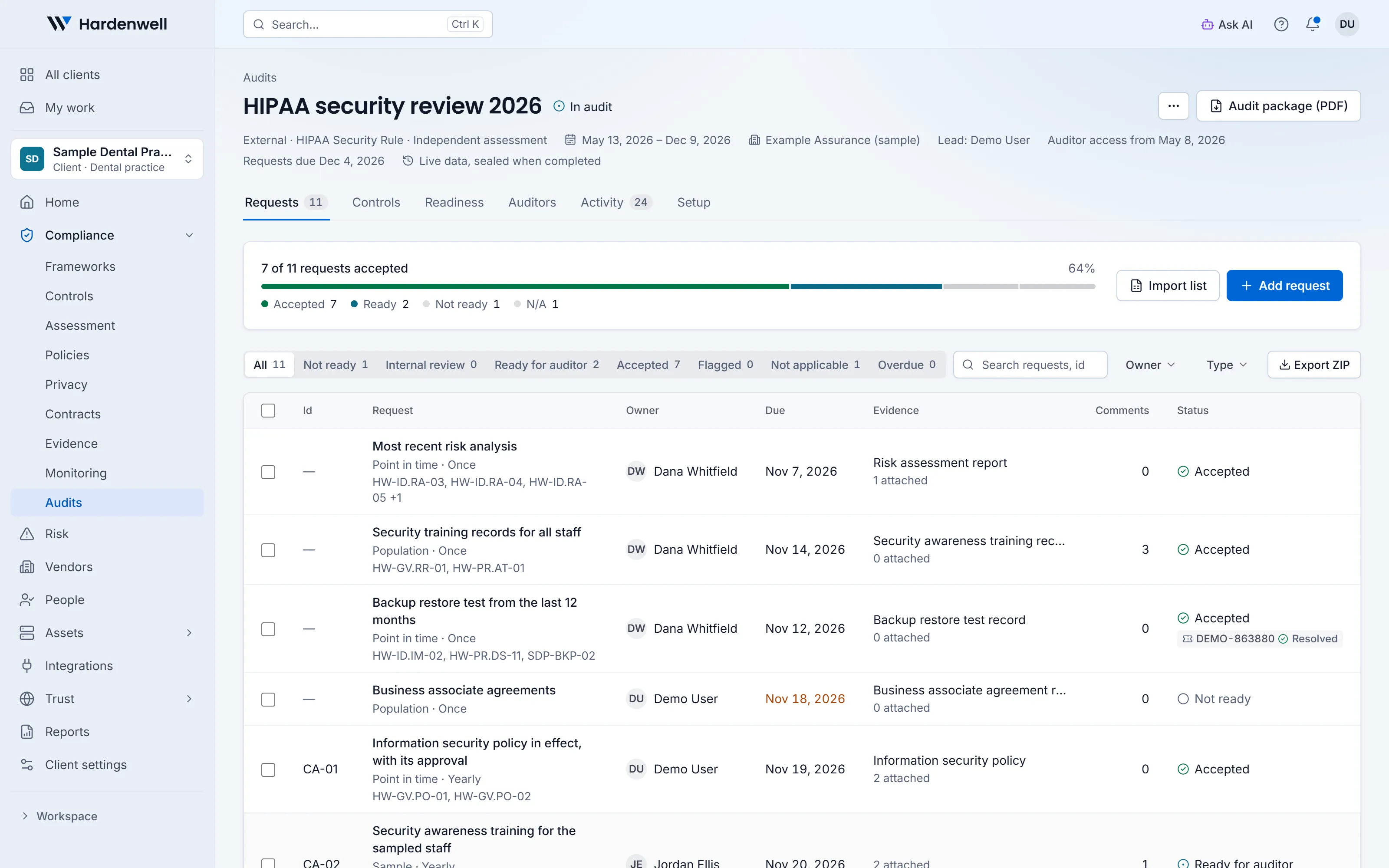
| 10. The audit | Request lists and access for the auditor | YesAn audit workspace and an auditor portal |
| 11. The opinion | The auditor's tests and report | NoDecided by the auditor only |
How to prepare for a SOC 2 audit, step by step
Step 1: set the scope and write the system description
A SOC 2 report covers one system: the services you provide and everything they run on. It starts with your own description of that system, which the auditor checks against what they find. Write down your services and commitments, the infrastructure, software, people, data and processes behind them, the outside companies that run part of the service, and what customers must do on their side.
Hardenwell GRC has a SOC 2 system description builder with a section for each of these. It fills in what it already knows from the client profile, vendors and connected tools. With AI on, it can draft sections from your documents for you to accept or change. Once approved, the description is saved as evidence for the SOC 2 system description requirement.
Step 2: map controls to the criteria
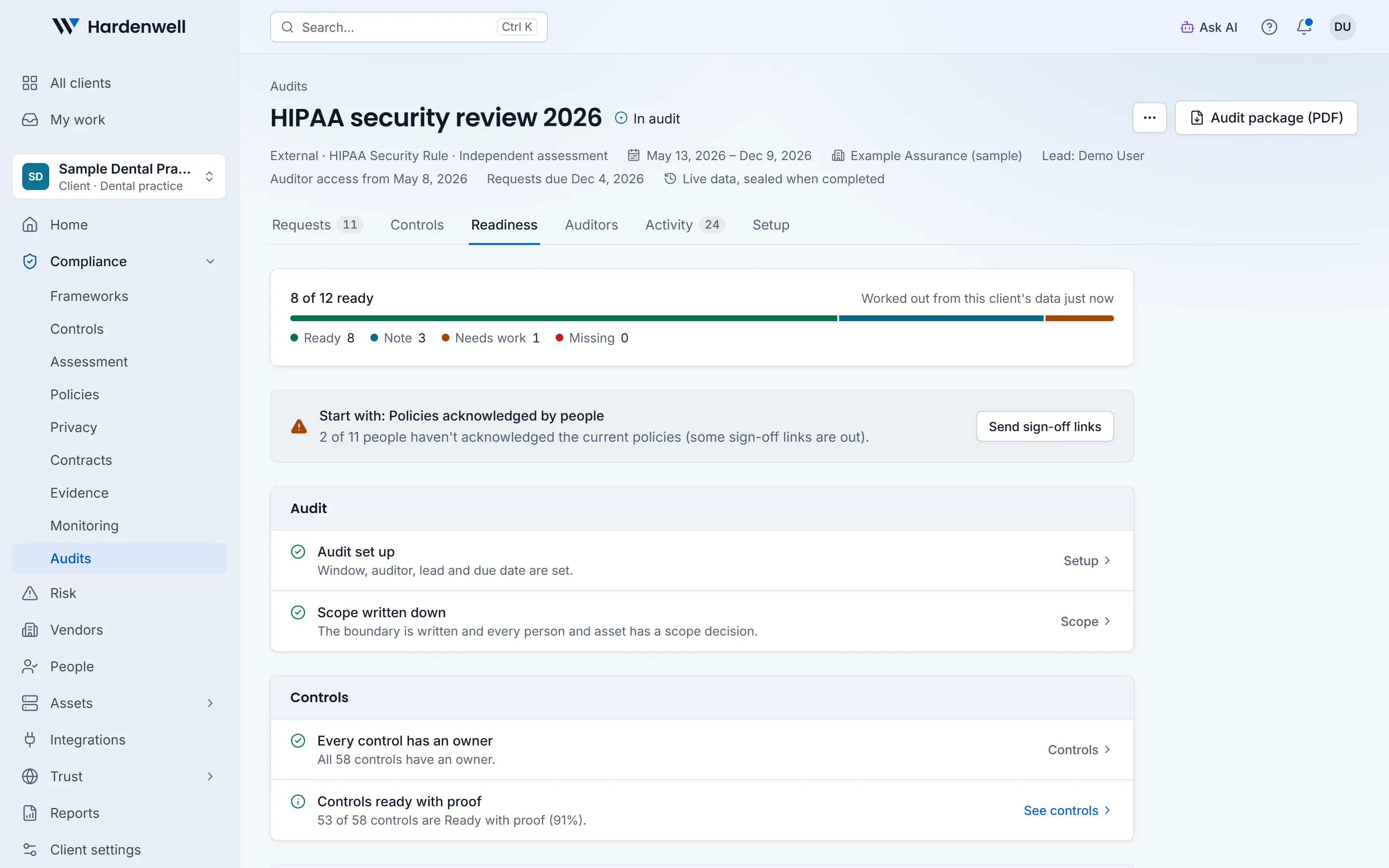
The criteria say what must be true, not how to do it. You choose the controls. In Hardenwell GRC, each control says when it is in place, and one set of controls is mapped to SOC 2 and to every other framework you turn on. You can add your own controls as well.
A control counts as Ready only when its proof is on file: current evidence, passing checks from connected tools or a sign-off from the person you named. A "yes" in an interview shows as self-reported, never as ready.
Step 3: write, approve and sign policies
Auditors look for policies that are approved, reviewed on schedule and known to staff. Hardenwell GRC has over 175 policy and procedure templates filled in from the client profile. Each policy keeps its versions, goes through approval, and is sent to staff to sign by link. A consistency check flags approved policies that disagree with each other, such as two different password lengths.
Step 4: collect evidence and keep monitoring
For a Type 2, you need proof that each control worked across the whole period. Connected tools do most of this. Hardenwell GRC checks the settings of more than fifty tools, and a passing check saves dated evidence for what it proves.
- Microsoft 365
- Google Workspace
- Amazon Web Services
- Microsoft Azure
- Google Cloud
- Okta
- GitHub
- CrowdStrike Falcon

Monitoring lists every check and test. A failing check names each account or device that fails, with a due date. If something is fine as it is, you record an exception with a reason, who decided and an optional end date. Our post on automatic evidence from Microsoft 365 and Google Workspace shows how this works.
Step 5: review your vendors
SOC 2 expects you to manage the risk from vendors that handle your data. In Hardenwell GRC, each vendor gets a tier from a few questions. A review sends a questionnaire through a vendor portal, requests documents, records findings and ends in a decision. With AI on, it can read a vendor's SOC 2 report and list its exceptions and the controls it expects of you, with quotes for a person to accept.
Step 6: get your people ready
Auditors often sample new hires and leavers to see that new people were trained and signed the policies, and that leavers lost their access on time. Hardenwell GRC gives each person a checklist of training, policy sign-offs, two-step sign-in and device encryption. It starts an offboarding checklist for each leaver and schedules access reviews for each app every 90 days.
Step 7: run the audit
In the audit workspace you set the date or period, import the auditor's request list from a spreadsheet, match each request to your controls and assign owners. A request can go through internal review before it is marked ready for the auditor.
Auditors you invite sign in with an emailed link and code, and only while the audit is open. In the auditor portal they see the requests, the controls and the areas you choose to share, such as policies, vendors and risks. While an audit is live, Hardenwell GRC warns before a change that would weaken what the auditor is testing.
What only the auditor decides
The auditor picks the samples, tests the controls, decides whether an exception matters and writes the opinion. Hardenwell GRC organizes your proof and shows what is ready. It does not perform the audit or issue opinions, and readiness in the app is not a promise of the result.
Once you have the report, you can share it on your trust center behind a click-through confidentiality agreement, and use it to answer security questionnaires.
Frequently asked questions
How long does it take to get ready for SOC 2?
It depends on how much is already in place. A small company with few systems and good habits gets ready much sooner than one starting from nothing. A Type 2 also needs the period itself, usually three to twelve months.
Is SOC 2 required by law?
No. SOC 2 is voluntary. Customers ask for it in contracts and security reviews, which is why many software and service companies get one.
Can software replace the auditor?
No. Only a licensed CPA firm can perform a SOC 2 audit and issue the report. Software helps you prepare, collect evidence and answer the auditor's requests.
What does SOC 2 cost?
The auditor charges separately, and fees depend on the firm and your scope. Our post on what a compliance platform costs lists the other costs to plan for.
Does Hardenwell GRC include frameworks beyond SOC 2?
Yes. Nearly fifty frameworks are built in, such as HIPAA, ISO 27001, PCI DSS and NIST CSF 2.0. They share one set of controls, so proof you collect for SOC 2 can also count toward the others. For a full picture of your program first, see our NIST CSF 2.0 assessment guide.
Explore the demo to try this with your own systems. It lasts 14 days with every feature and no credit card. You can also get a price estimate first.