A compliance platform for MSP and vCISO firms with many clients
A compliance platform built for MSPs and vCISOs. Every client in one workspace, pricing by the clients you manage, PSA tickets and links for clients.
The Hardenwell GRC team
· 6 min read · Updated
Key takeaways
- One workspace holds every client, each kept separate, with All clients and My work views across them.
- Pricing is a platform fee by your firm's size plus a fee for each client you manage, and a short questionnaire gives a range.
- Clients connect their tools, sign policies and send evidence through private links, with no account needed.
- Failing checks can become tickets in ConnectWise PSA, HaloPSA, Autotask PSA or Jira, all in beta.
A compliance platform for MSPs lets an IT provider, a virtual CISO or a consultant run the security programs of many clients from one place. Hardenwell GRC keeps every client in one workspace, each with its own frameworks, controls, policies, evidence and reports, kept apart from the others. Pricing follows your firm: a platform fee by its size and a fee for each client you manage.
This post explains how Hardenwell GRC works for firms, how it is priced, and how it compares with tools built for one company at a time.
Why tools built for one company are hard for firms
Many compliance platforms were built for one company preparing for its own audit. A firm that serves twenty clients can end up with twenty logins, twenty contracts and no single view of what is late. Work done for one client, such as a vendor review or a set of policies, often has to be done again for the next one.
A platform built for firms starts from the opposite end. Clients are separate records in one workspace, and your team, your templates and your libraries work across all of them.
One workspace for every client
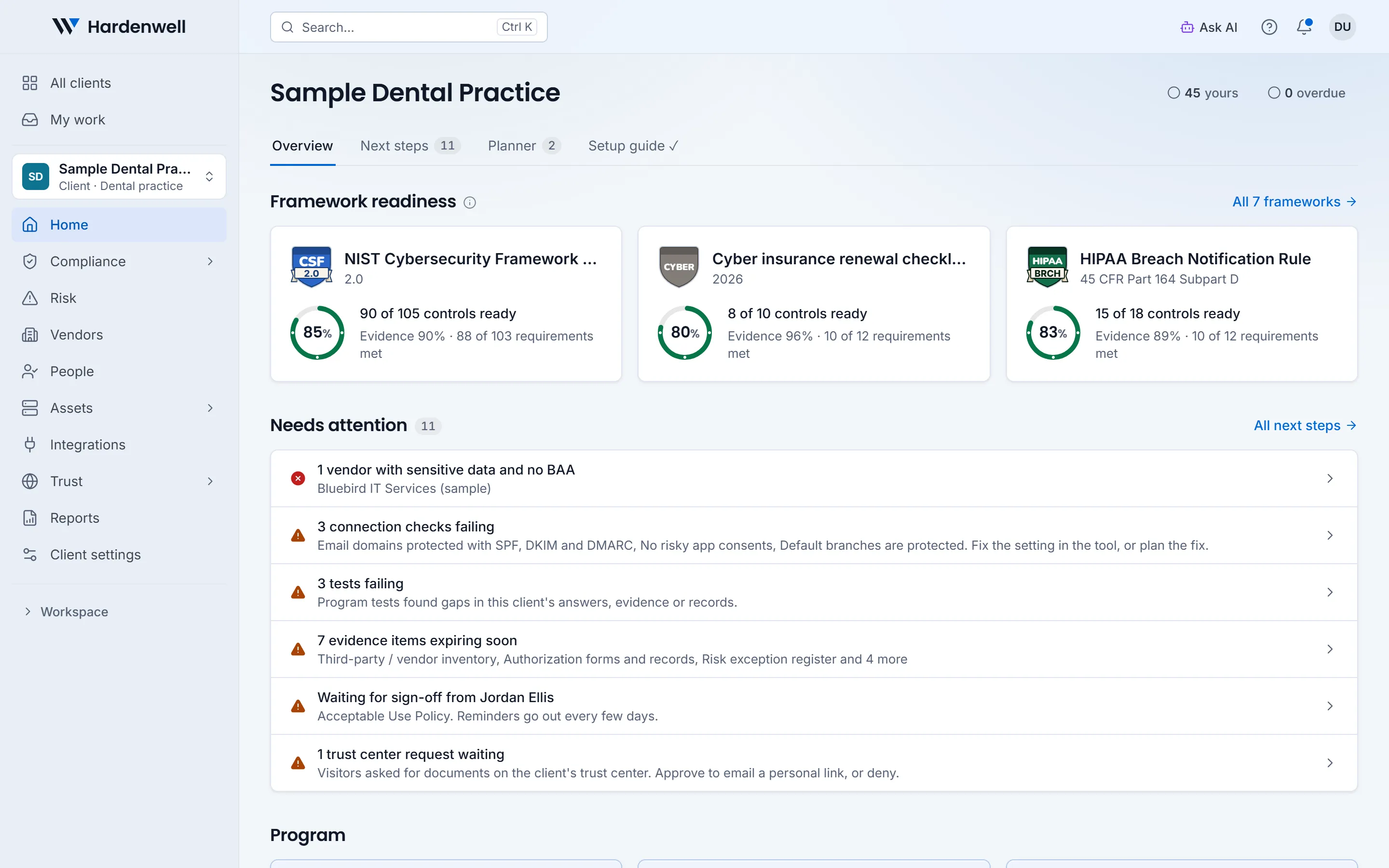
- Switch clients in one click. The client card at the top of the sidebar lists every client you can see.
- All clients. One row per client shows controls ready, requirements met with proof, failing checks, items past their fix-by date, expired evidence, broken connections, open audit requests and the next audit.
- A map of your clients. A map view places each client near its address. Pins are approximate on purpose, and no address is sent to a map service.
- My work. Everything that waits on you across clients, such as sign-offs, approvals and audit requests, plus the controls, tests, evidence, documents and risks you own, and what of it is overdue.
- Team access by client. Each team member sees every client or only the clients they work on. Roles decide who can view, edit or approve, and you can make your own roles.
- Hand-overs. When someone leaves your team, Reassign their work moves what they owned to someone else.
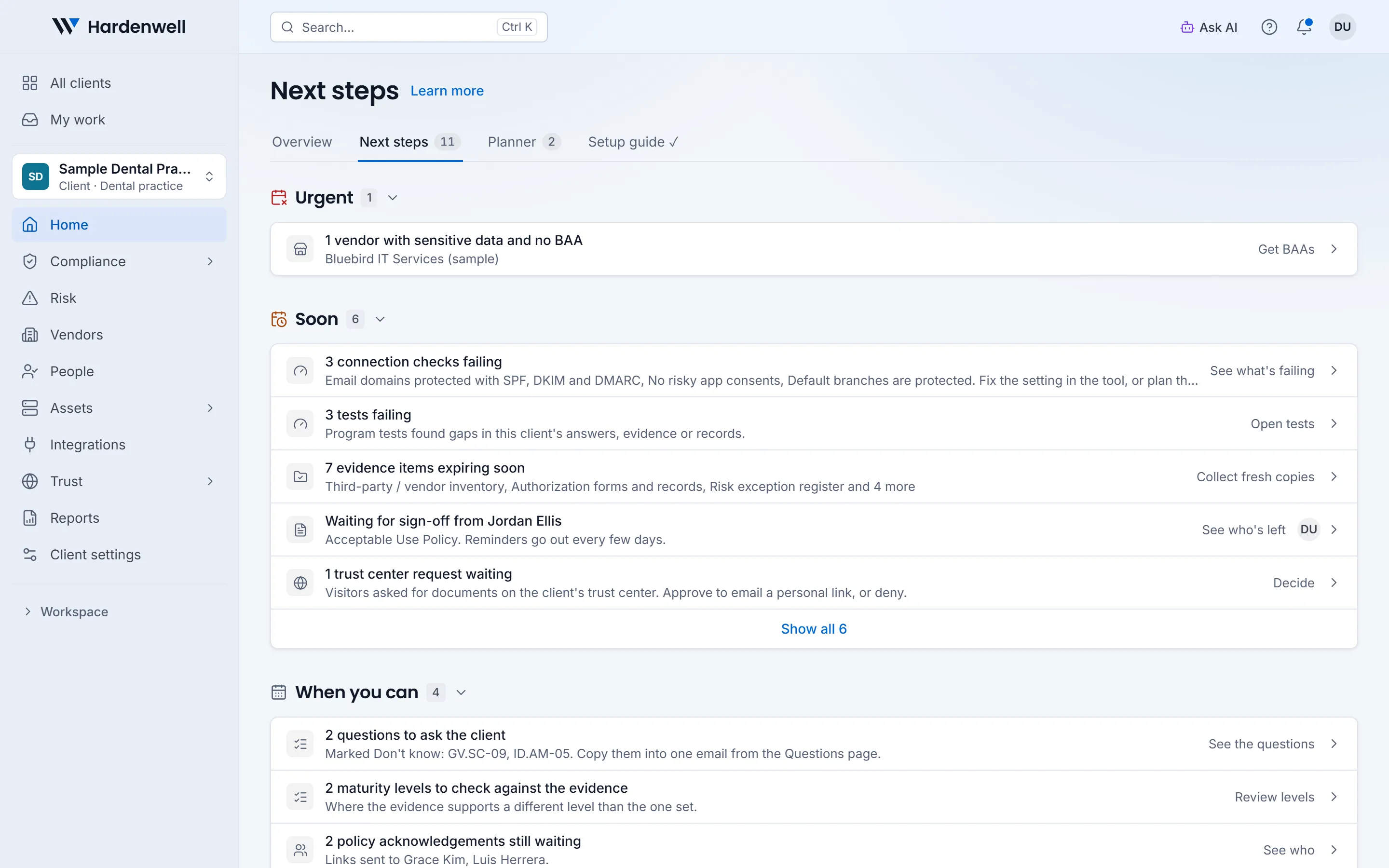
Inside each client, Next steps lists what is due, failing or waiting for a person, grouped as urgent, soon and when you can. A setup guide with ten steps takes a new client from kickoff to approved policies.
Reuse your work across clients
- Your own controls and frameworks. Add controls and frameworks once at the workspace level and use them for any client.
- Vendor library. Review a vendor, such as a backup provider, once. Another client that uses it can start from that decided review, and the copy never names the first client.
- Vendor questionnaires. Keep your own questionnaires in one library for every client's vendor reviews.
- Templates. Over 175 document templates fill in from each client's profile.
- A sample client. Practice on made-up data before you bring in a real client. Sample clients are free.
Clients take part without an account
Most clients don't want another login, so Hardenwell GRC sends private links instead.
- Connect links. Send the client's IT contact a link to connect the tools you list, such as Microsoft 365 or Google Workspace. Their keys go straight into encrypted storage, and you never handle them.
- Request links. Ask for the files and answers you still need. Nothing counts until your team accepts it.
- Sign-off links. The client's owner or security officer approves policies from an email.
- Task links. Each staff member signs policies and completes training from one link, with reminders.
- Vendor portal. The client's vendors answer their review questionnaire without an account.
People who prefer to sign in can have a client account. It shows only their own organization, with parts such as their policies, sign-offs, evidence, reports and vendors.
Connections for every client
- Microsoft 365
- Google Workspace
- Amazon Web Services
- Microsoft Azure
- Google Cloud
- Okta
- JumpCloud
- Duo
- NinjaOne
- SentinelOne
- Huntress
- CrowdStrike Falcon
- Sophos Central
- Datto BCDR
- Veeam
- KnowBe4
- GitHub
- Slack
- BambooHR

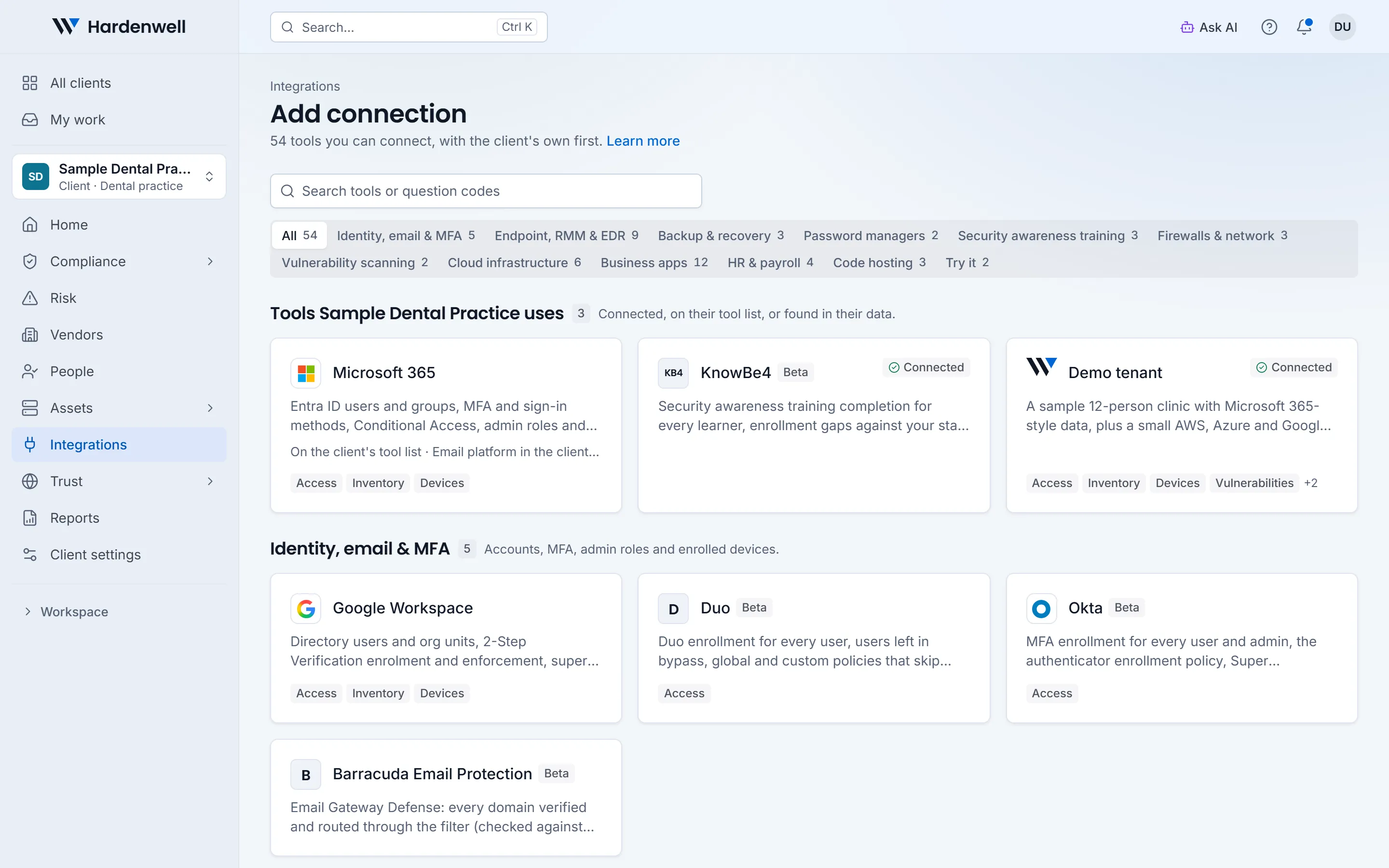
Hardenwell GRC connects to more than fifty tools, from Microsoft 365 and Google Workspace to cloud accounts, endpoint protection, backup, password managers, HR systems and code hosts. The checks only read settings and never change a client's systems. Connections sync every hour, results show for each client in Monitoring, and broken connections show on All clients. Many connections are marked beta until we have confirmed them on live accounts.
Tickets in your PSA
- ConnectWise PSA
- HaloPSA
- Autotask PSA
- Jira
Failing checks, planner cards, flagged audit requests, vendor findings and overdue vulnerabilities can become tickets in ConnectWise PSA, HaloPSA, Autotask PSA or Jira. Set up one connection for your firm, then pick each client's company or project. The ticket's status comes back to Hardenwell GRC. If a ticket is closed but the check still fails, Next steps says so.
Rules can open tickets on their own, for example when a check starts failing or evidence is about to expire. There is never a second ticket while one is open for the same thing. Ticket sync is in beta.
Your firm's name on what clients see
- Email from your domain. Sign-off links, connect links, vendor reviews, access reviews and scheduled reports go out from your firm's own domain once you verify it. Until then they are sent in your firm's name through Hardenwell GRC.
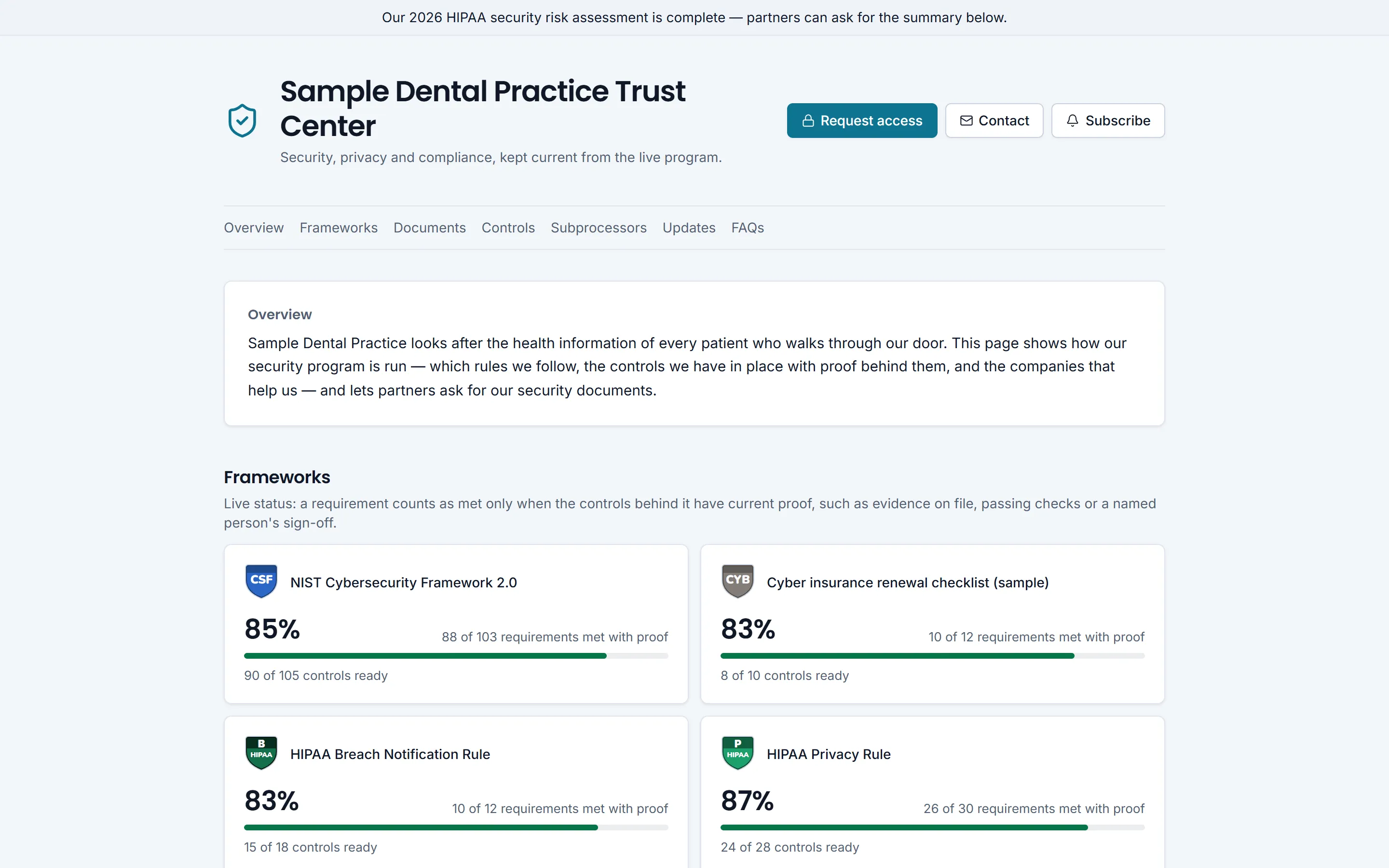
- Trust centers. Publish a trust page for your firm and one for each client. A client's page shows live framework status and documents that visitors can request.
- Scheduled reports. Send a client's report as a PDF every month or every three months.
How pricing works for firms
The price has a platform fee that grows with the size of your firm, plus a fee for each client you manage. More frameworks and services raise it. Our pricing page asks a few short questions and shows an estimated range, with our recommendations for your firm. It is an estimate, not a quote. Sample clients with made-up data are free and never count. The details are in how our pricing works for firms.
Tip
Your own firm's program can live in the same workspace. It counts as one of your clients.
How it compares with tools built for one company
| What a firm needs | Tools built for one company at a time | Hardenwell GRC |
|---|---|---|
| Every client in one place | PartlyUsually one company per account | YesEvery client in one workspace, kept separate |
| Seeing a price | PartlyOften a quote after a sales call | YesAn estimated range on our pricing page |
| Trust center | PartlyOne for the company | YesOne for each client and one for your firm |
| Tickets in a PSA | PartlySometimes | YesConnectWise PSA, HaloPSA, Autotask PSA and Jira, in beta |
| Links for clients without an account | PartlySometimes | YesConnect, request, sign-off and task links |
| Emails in your firm's name | PartlySometimes | YesFrom your own domain once you verify it |
Large platforms usually list more integrations and have longer track records. If a client depends on a tool we don't connect to yet, check our list first.
Some of them run programs for service providers. Vanta describes one platform for managing many clients1, and Secureframe a partner console for client accounts2. Neither page shows a price, so ask each for its partner terms and compare them with our estimate. Read more in our comparison with large compliance platforms. If many of your clients are medical or dental practices, see HIPAA compliance software for small practices.
Frequently asked questions
Can one client see another client's data?
No. Each client is kept separate. Team members can be limited to the clients they work on, and a client's own users see only their organization.
How is a firm priced?
With a platform fee that grows with the size of your firm, plus a fee for each client you manage. Sample clients with made-up data are free and never count. Get a range on our pricing page.
Do our clients need to sign in?
No. Clients can connect tools, send files, sign policies and finish training through private links. If they want to sign in, a client account shows only their own organization.
Does it work with our PSA?
Yes, if you use ConnectWise PSA, HaloPSA or Autotask PSA, and with Jira too. Ticket sync is in beta. Failing checks and other work become tickets in the client's company or project, and the status comes back.
Can we try it with real clients?
Yes. The demo lasts 14 days with every feature and no credit card, for up to 3 clients. Explore the demo or get a price estimate.
Sources
We read each page on the day shown. Prices and plans change, so check the current page before you decide.
- Vanta's article on its service partner program for MSPs (April 2, 2025), checked November 11, 2026.
- Secureframe's announcement of its service partner program (June 11, 2024), checked November 11, 2026.