How our pricing works for firms that serve many clients
A platform fee that grows with your firm, plus a fee for each client you manage. How the estimate works and what every client gets.
The Hardenwell GRC team
· 6 min read · Updated
Key takeaways
- Pricing is a platform fee that grows with your firm, plus a fee for each client you manage.
- More frameworks and services raise the price, and a short questionnaire gives you an estimated range.
- Every client is kept separate in one workspace, with its own frameworks, records and reports.
- Explore the demo on your own, or book a guided walkthrough from your price estimate.
Hardenwell GRC is priced by what your firm runs: a platform fee that grows with the size of your firm, plus a fee for each client you manage, adjusted for the frameworks and services you need. Answer a few short questions on our pricing page to see an estimated range and our recommendations for your firm.
This post is for IT providers, managed service providers, virtual CISOs, consultants and freelancers who look after many businesses. It explains how the price is worked out and what you get for each client.
How is the price worked out?
The price has three parts:
- A platform fee. It is set by the size of your firm and your team.
- A fee for each client you manage. It covers each business you run a program for.
- Adjustments for what you need. More frameworks and more services raise the price.
The estimate is a range in round numbers. It is an estimate, not a quote. We go through it with you on a guided walkthrough.
A client is one business you look after. Each client has its own frameworks, controls, policies, evidence, people, vendors and reports, kept separate from your other clients. If you also run your own company's program in Hardenwell GRC, that counts as one of your clients.
What does the estimate ask?
The questionnaire takes a few minutes, one short question at a time:
- who you are, such as an MSP, a vCISO or consultant, or a company getting compliant itself,
- how many clients you manage, or how many people work at your company,
- the size of your own team,
- the frameworks you want and what you want to do with them,
- your timeline and the tools you use,
- then your name, work email and company.
At the end you see a price range and our recommendations: the frameworks that fit, the policies, evidence, connections and audits you will need, and a rough timeline. We email you a copy. From there you can explore the demo or book a guided walkthrough.
What does every client get?
Every client in your workspace can use:
- nearly fifty frameworks, including HIPAA, SOC 2, ISO 27001, PCI DSS, CMMC and NIST CSF,
- connections to more than 50 tools, where a passing check saves dated evidence for what it proves,
- over 175 document templates, with sign-off by email and version history,
- the AI assistant, which waits for your approval before anything changes,
- vendor reviews, security questionnaires and a trust center,
- audits with an auditor portal, a risk register, people and training records, and reports,
- the API and webhooks.
Every client can use every connection. They include Microsoft 365 and Google Workspace, cloud accounts, endpoint protection, backup, security training, HR systems, password managers and code hosts.
- Microsoft 365
- Google Workspace
- Amazon Web Services
- Microsoft Azure
- Google Cloud
- Okta
- CrowdStrike Falcon
- SentinelOne
- NinjaOne
- Datto BCDR
- KnowBe4
- BambooHR
- 1Password
- GitHub

What do firms get on top?
Some parts of Hardenwell GRC are there for firms that look after many businesses.
- All clients. One page shows each client's readiness, controls ready and what needs attention. My work lists what is waiting on you across clients.
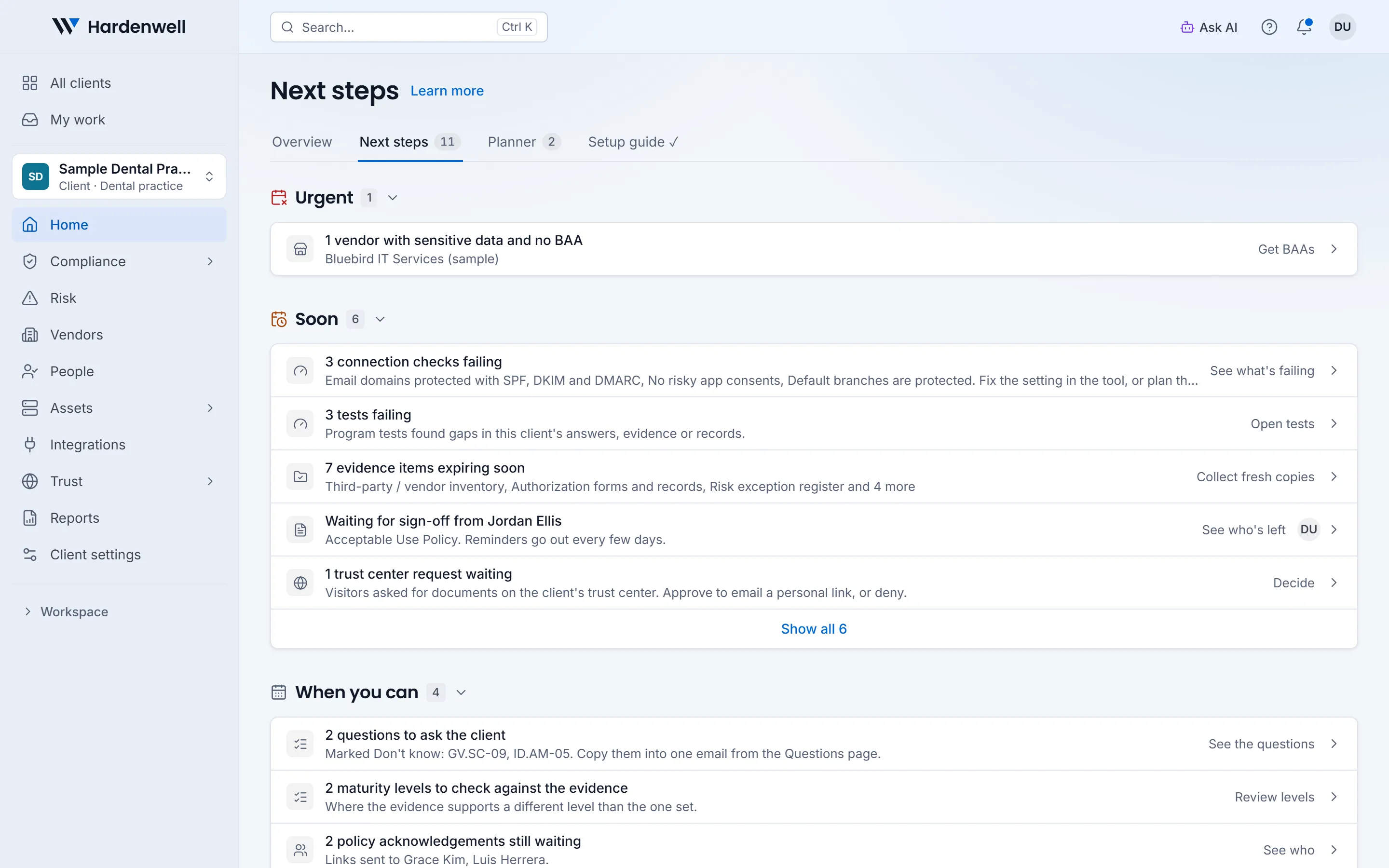
- Next steps per client. Each client has one work list, grouped into urgent, soon and when you can, with one action per row.
- Access by client. Team members can be limited to the clients they work on. People from a client can sign in and see only their own organization.
- Connect links. Send a client a link so they can connect their own tools without an account.
- Tickets in your tools. Failing checks can become tickets in ConnectWise PSA, HaloPSA, Autotask PSA or Jira Cloud. These are in beta.
- Your own domain. Emails to your clients can come from your firm's own domain.
For a fuller look at running many client programs in one place, read our guide to a compliance platform for MSPs.
How do you add and remove clients?
- Add a client in a few steps, and the setup guide takes it from there.
- When you stop working with a client, export what you want to keep and ask us to remove it. A client nobody has worked in yet can be deleted from Plan & billing.
- Charges are final, so a period isn't refunded once it's charged. See the refund terms.
- Sample clients with made-up data are free and never count.
How does the demo work?
- 14 days with every feature, and no credit card.
- Up to 3 clients and 3 team members, so you can try it with real clients.
- The AI assistant has a daily message limit during the demo.
- When the demo ends, your workspace becomes read-only. Nothing is deleted.
- Each person can start one demo.
Want us to show you around? Book a guided walkthrough from your price estimate.
How should you price your own services?
How you charge your clients is up to you. A common approach is a monthly fee per client that covers the platform and your time. Because our price has a fee for each client you manage, your cost grows in step with your client list.
How does this compare with a quote for each client?
Many large compliance platforms price each company separately, often by its number of employees, on a yearly contract. For a firm, that can mean a new quote and a new contract for every client.
Some run programs for firms that serve many clients. Vanta describes one platform for managing many clients1, and Secureframe a partner console for client accounts2. Neither page shows a price.
| Question | A quote for each client | Hardenwell GRC |
|---|---|---|
| Seeing a price | PartlyAfter a sales call | YesA range online, from a few short questions |
| Clients in one place | PartlyUsually one company per contract | YesOne workspace, each client kept separate |
| A view across clients | PartlyVaries by vendor | YesAll clients and My work |
Get your price estimate, read what a compliance platform costs overall, or explore the demo.
Frequently asked questions
What counts as a client?
A client is one business you look after, with its own frameworks, records and reports. Your own company's program counts as one client too. Sample clients with made-up data never count.
Does the size of my team change the price?
The platform fee grows with the size of your firm, and your team is part of that. Add the team members you need, and limit each one to the clients they work on.
Why is the price a range?
Because it depends on your answers. More clients, more frameworks and more services move it up. It comes in round numbers, and it is an estimate, not a quote.
Can I see it before I talk to anyone?
Yes. Explore the demo on your own, with every feature for 14 days and no credit card, and get your price estimate online. Book a guided walkthrough from your price estimate when you want us to show you more.
Can my clients sign in?
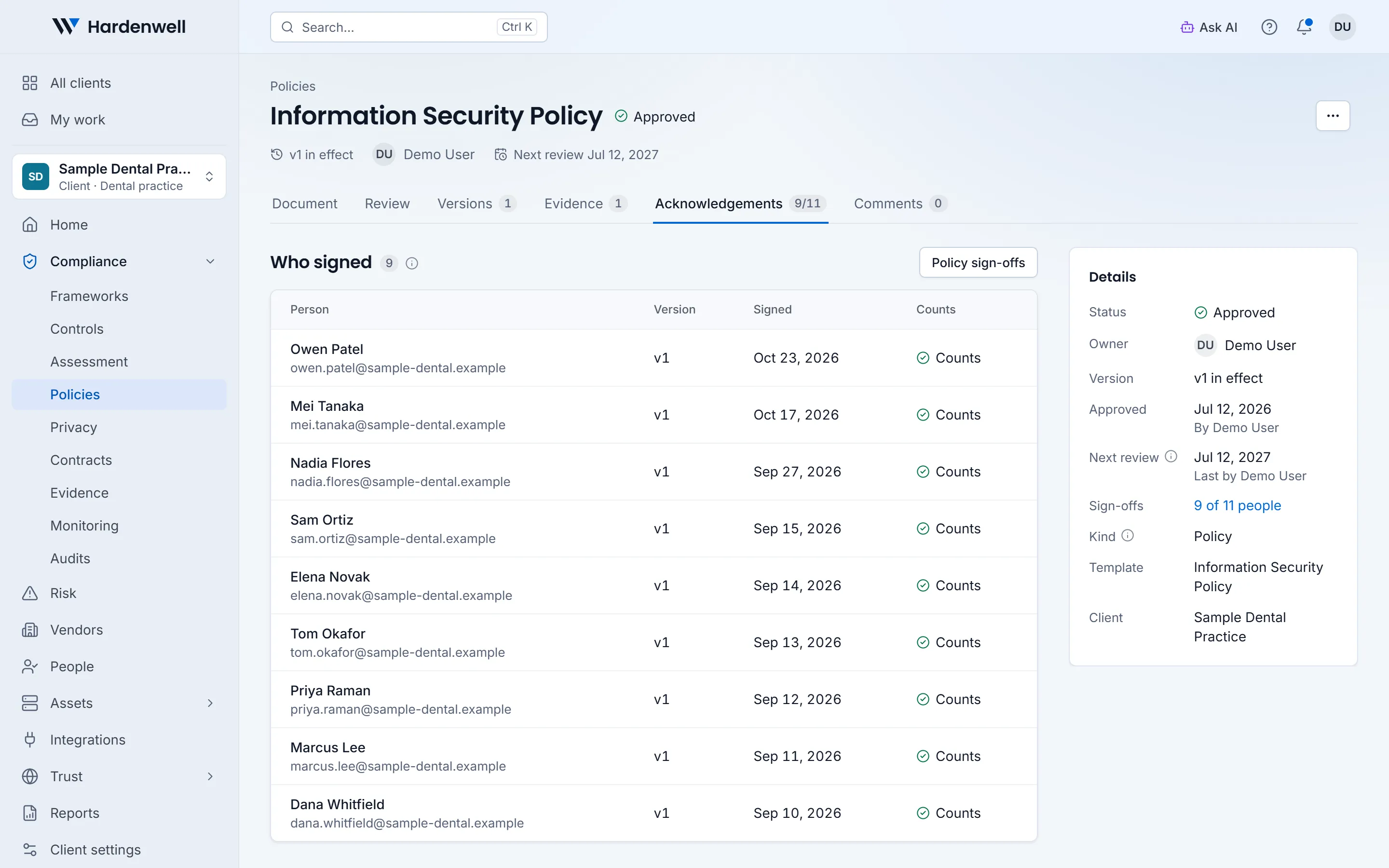
Yes. People from a client can sign in and see only their own organization. Many tasks also work from a link without an account, such as signing a policy or connecting a tool.
Sources
We read each page on the day shown. Prices and plans change, so check the current page before you decide.
- Vanta's article on its service partner program for MSPs (April 2, 2025), checked November 11, 2026.
- Secureframe's announcement of its service partner program (June 11, 2024), checked November 11, 2026.